Portfolio companies and consolidation
Two similarly-named things live on one page here, as two tabs, and the distinction matters enough to state plainly. INVESTMENTS are companies the fund directly invests in - cap table positions the fund accounts for. The COMPANY REGISTRY carries every company identity, including the ones underlying MANAGERS disclose as holdings - disclosure data for exposure reporting, never positions of the fund itself.
Direct investments
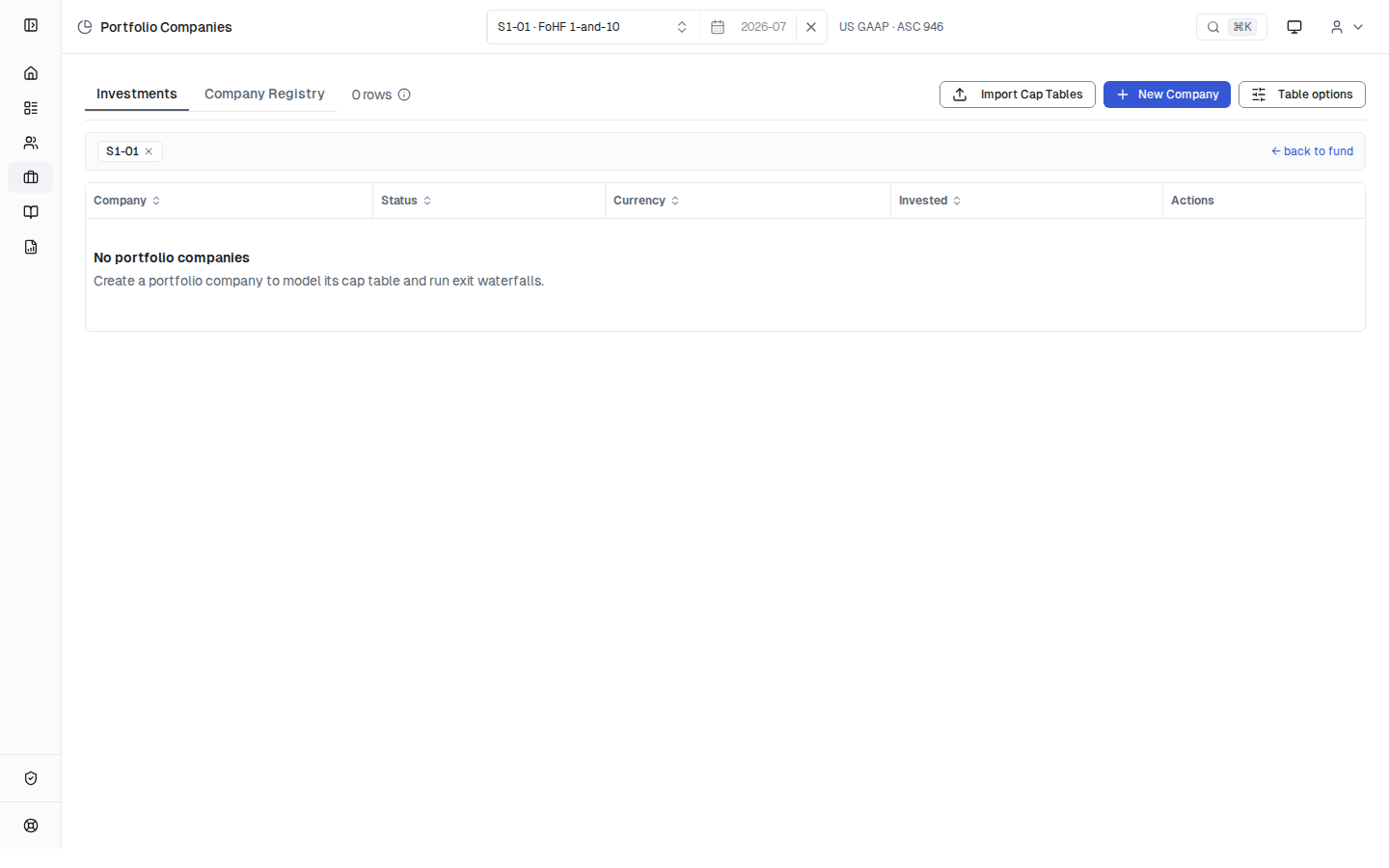
The Investments tab of Portfolio Companies is the direct-investment book: the companies, the fund's cap table position in each (share classes, rounds, ownership), and the exit events that realize them. These are real positions with cost, marks, and ledger postings - the PE/VC asset side. Opening an investment shows its cap table and, beside it, the company's registry fields, editable in place.
The company registry
The Company Registry tab is the reference-data registry: one identity row per company (code, name, sector, geography), the shared spine (#214). Look-through holdings reference it for the exposure views ("what does the fund hold, through its managers" - nothing there posts to the ledger, because the fund does not own those; its managers do), and every investment references the SAME row - so a company a manager discloses and a company the fund invests in directly are one entry, never two.
The consolidated view
Consolidated Assets rolls the whole asset side up across a structure: direct positions, underlying funds, and their look-through, netted for internal cross-holdings so a master-feeder complex does not double-count the feeder's stake in the master. It is the one page that answers "what do we actually hold, all-in" for a structure rather than a single fund.
Collect company financials and KPIs
Open a direct investment and use Company financials & KPIs to download its
CSV template. Revenue, EBITDA and net debt are standard fields; Edit custom
KPIs adds company-specific metric keys such as customer_count. Use
as_of_date in YYYY-MM-DD format and plain decimal values (no currency symbols,
thousands separators or formulas). Monetary metrics use the company's currency;
custom KPIs use the units agreed for that metric. All fields are required, with
at most six decimal places and 120 reporting dates per upload.
Upload the completed CSV. Validation rejects the entire file if any row fails.
Corrections are new submissions: earlier figures and source filenames remain
visible. For a reporting date, the latest operator upload or operator acceptance
is the current evidence. External submissions wait for review.
Table options > Export to Excel includes custom metrics, currency and submission IDs
for portfolio reporting; retain those IDs when preparing reporting workpapers.
Fund report packs can also add the company_financials section: it selects the
latest reporting date on or before the pack period, uses the current accepted evidence
for that date, includes custom KPIs, evidence IDs and invited-recipient attribution,
and flags missing companies.
It keeps currencies and metric units separate and produces no combined totals.
When marking fair value, choose a valuation date and select Company financial evidence to review the collected figures. Only evidence dated on or before the mark is offered; pending and rejected external submissions are excluded. The selected submission is recorded in the mark's memo. Enter the company equity value using your chosen valuation method; uploading financials alone creates no valuation or ledger posting.
To collect directly from the company, enter the recipient's name and email under Invite a company submitter, choose an expiry of 1–30 days (seven by default), and select Create collection link. Copy the private link while it is shown and share it with that recipient. Anyone holding the link can submit under the invited identity, so ask the recipient not to forward it. The company can download the invitation's CSV template and submit financials without a workspace account. The link grants access only to that template and submission form; it does not show existing submissions, holdings, or valuations. Each invitation retains the template it was created with even if you later edit the company's custom KPIs.
Use Refresh submissions to see received reporting dates, source filenames, and validation failures under the recipient's invitation. A valid external upload shows Received, pending review to the submitter and enters External submissions pending review on the company page. Pending and rejected figures are excluded from reporting, saved calculations and valuation evidence.
Review each reporting date beside its current figures, enter a Review reason, and choose Accept submission or Reject submission. Acceptance makes those figures current for that reporting date. Rejection retains the submitted figures and the reason without publishing them. Both decisions record the reviewer and time, and the review history retains the recipient attribution. Existing external submissions also require review when this workflow is introduced. Revoke link ends further access immediately; expiry also ends access. Revocation retains previous submissions and their recipient attribution. Create a new invitation when the recipient needs a replacement link or an updated template.
Employee and founder share tenders
The Employee and founder share tenders panel opens a fixed-price secondary offer for one share class and an existing buyer. Prices use the managing fund's base currency, matching the acquisition ledger. Opening captures eligible employee and founder holdings on today's UTC record date; unexercised grants and the buyer's own shares are excluded. Historical ownership is not reconstructed. Consolidate duplicate seller holdings in the class first.
Record each seller's election, up to their captured eligible shares. Elections remain editable through the UTC deadline. After that date, Allocate shares fixes the allocations: an oversubscribed offer is pro-rated at eight decimal places, with residual fractions allocated deterministically. Unsubscribed capacity remains unused. Settle tender becomes available on the settlement date and moves all allocated shares together. If a seller no longer holds enough shares, settlement fails in full. A retry of a settled offer creates no additional transfers.
Fund buyers book their normal acquisition; transfers between other shareholders produce no fund journal. Settled tender transfers cannot be reversed independently. An unsettled offer can be cancelled. These are secondary purchases from holders, not company treasury repurchases or exercises of employee grants.
LP transfers separately accept an optional Record date, Price paid (total), and Price currency in their commercial terms. These also appear on transfer details and LP transfer confirmations. The price is a memo between buyer and seller; fund capital still transfers at effective-date NAV. Use Amend transfer to correct these terms, or clear both price and currency together to remove the memo.